wrx/s2000 chops, i got bored in pracs
-
whatcha guys think, i got alot of variations.
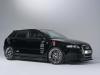
honda s2000
original

chopped


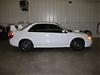
subaru wrx
original

chopped


different rims


wasn't sure how this would look so i tried it

Originally Posted by 00vtec View Post
I take cash or check. True honda owners can hear it in anything no matter what the mods."Imo kick yo ass so hard that candy comes out"
hung like a butterfly but stings like a bee....

-
20x20 with striped grey and lighter grey then place that pattern onto a new layer a big ass layer, then render/twirl i believe it is then take which part looks the best and place on the hood....
i make two copies of the hood and desaturate the top layer and place the CF in the middle of the actual hood and the desaturated one then i simply lower the opacity on the top hood a lil then darken it and darken the CF layer...
i can explain it much much better in person
Originally Posted by 00vtec View Post
I take cash or check. True honda owners can hear it in anything no matter what the mods."Imo kick yo ass so hard that candy comes out"
hung like a butterfly but stings like a bee....
-
assasain wrote:
20x20 with striped grey and lighter grey then place that pattern onto a new layer a big ass layer, then render/twirl i believe it is then take which part looks the best and place on the hood....i make two copies of the hood and desaturate the top layer and place the CF in the middle of the actual hood and the desaturated one then i simply lower the opacity on the top hood a lil then darken it and darken the CF layer...
i can explain it much much better in person
I always just took a close up large picture of CF, and shrunk it down. Then angled it the same as the layer with the hood cut out. Then did the rest the same. Well either way, good job on the CF. :icon_salut: -
-
nice work greg!
-
just takes a little practice, just keep at it check out tutorials online
Originally Posted by 00vtec View Post
I take cash or check. True honda owners can hear it in anything no matter what the mods."Imo kick yo ass so hard that candy comes out"
hung like a butterfly but stings like a bee....
-
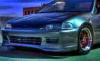
not bad for your first attempt...
darken the rims though they are WAY to bright for the picture
take a little more time when selecting the headlights its a little rough around there
and the tint isn't that bad really, i personally would have darkened the windows that you can see through the windsheild as they will appear slightly darker due to the inside of the car being darker than the outside.
keep it up
Originally Posted by 00vtec View Post
I take cash or check. True honda owners can hear it in anything no matter what the mods."Imo kick yo ass so hard that candy comes out"
hung like a butterfly but stings like a bee....
-
assasain;157822 wrote:
not bad for your first attempt...darken the rims though they are WAY to bright for the picture
take a little more time when selecting the headlights its a little rough around there
and the tint isn't that bad really, i personally would have darkened the windows that you can see through the windsheild as they will appear slightly darker due to the inside of the car being darker than the outside.
keep it up
quote the Photoshop God lol jk
-
just take a little more time and zoom in on the pic... plus i had the high res version of the pic and you didnt so it makes it little harder for you...
basically zoom in make close click with the lasso or pen tool when going around curves, basically your goal is to make it seem like its a real picture of a real car.
biggest thing to pay attention too is shadows, direction of the sun, how shaded certain parts of the car are
photoshop requires alot of close attention to detail really
Originally Posted by 00vtec View Post
I take cash or check. True honda owners can hear it in anything no matter what the mods."Imo kick yo ass so hard that candy comes out"
hung like a butterfly but stings like a bee....
-
lol here ill post my how to lower a car pic, well photobucket is down atm...
as far as the other wheels i used were from a different image, they were slightly darker but i darkened them a little more.. just select them go to image>adjust>brightness/contrast, then just lower its brightness a little bit to make it look a little better.... you can also use the burn tool on parts of the rim where it would normally be darker
how to lower a car........
take your lasso tool (L), start at the bottom of the car working across the bottom of the car, then go up into the wheel well, making really close together clicks to keep it more circular then go straight from the bottom edge of the car off the image, then click to the top of the image still off the canvas, then over to the other side, then back down the image still off the canvas... then simply go back the the corner you started on and make the ends meet...
then hold down the CNTRL key and press the down arrow till you meet the proper height you want.....
dont forget to crop the top of the photo off afterwards, as nudging the selected areas takes the entire picture and pushes it down.
did that help any, if not i'll post the pic i made
Originally Posted by 00vtec View Post
I take cash or check. True honda owners can hear it in anything no matter what the mods."Imo kick yo ass so hard that candy comes out"
hung like a butterfly but stings like a bee....








Hello! It looks like you're interested in this conversation, but you don't have an account yet.
Getting fed up of having to scroll through the same posts each visit? When you register for an account, you'll always come back to exactly where you were before, and choose to be notified of new replies (either via email, or push notification). You'll also be able to save bookmarks and upvote posts to show your appreciation to other community members.
With your input, this post could be even better 💗
Register Login